

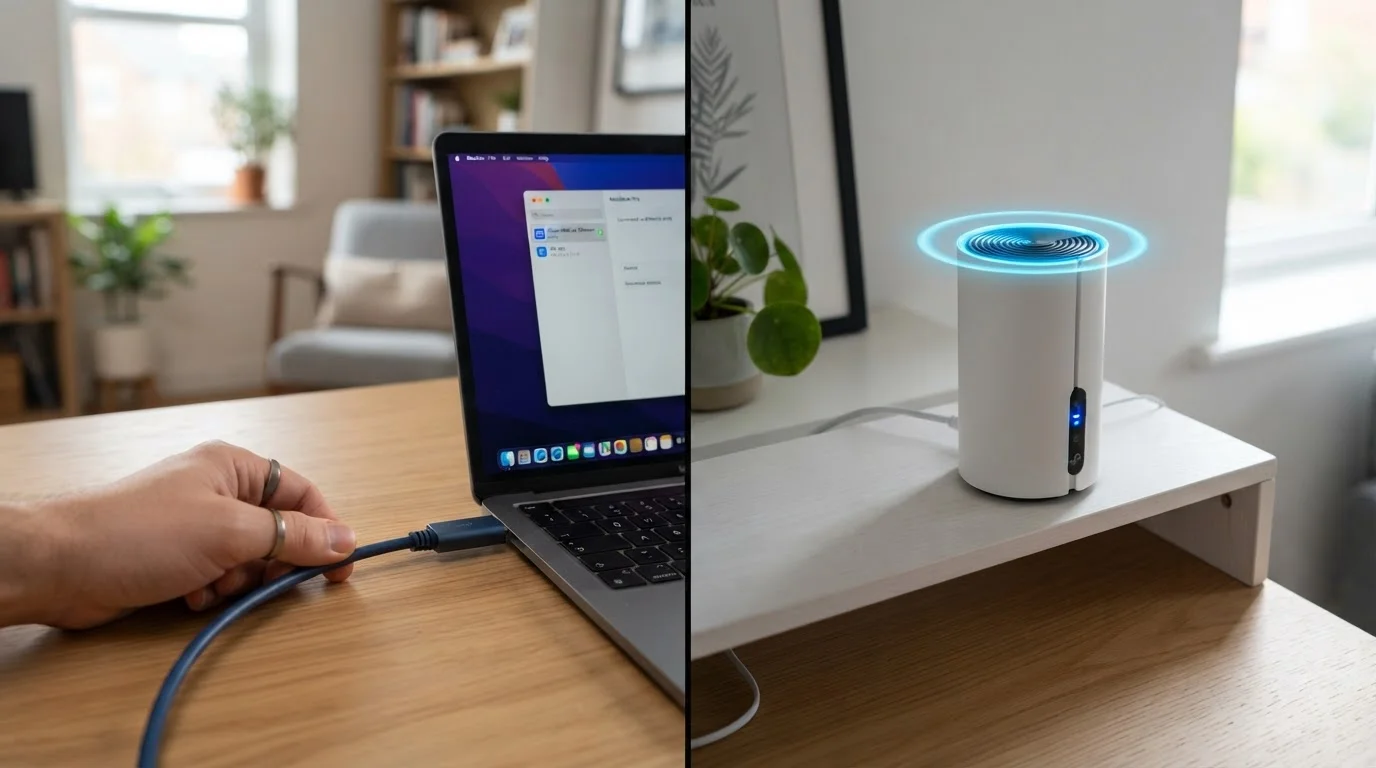
What Actually Differs Between Wired and Wireless
At the most basic level, Ethernet and Wi-Fi are two methods for moving data between your devices and your router. Ethernet does it over a physical cable; Wi-Fi does it through radio waves. Both can deliver fast internet - but the physics of each method produce real, measurable differences in three areas: speed, latency, and reliability.
Speed measures how much data can transfer per second. Standard home Ethernet cables (Cat 5e or higher) support 1 Gbps - a ceiling most household internet plans don't reach. Modern Wi-Fi standards like Wi-Fi 6 can match or theoretically exceed that in ideal conditions, but real-world wireless speeds drop with distance, interference from neighboring networks, and how many devices share the band simultaneously.
Latency - the round-trip time for a data packet - is where Ethernet maintains a consistent edge. A wired connection typically produces latency in the low single-digit milliseconds. Wi-Fi adds overhead from radio transmission and retries, pushing latency higher and making it less predictable. For a speed test reading, latency shows up as ping and jitter.
Reliability differs because cables are a dedicated, interference-free path. Wi-Fi shares radio spectrum with microwave ovens, neighboring routers, and Bluetooth devices. The result is occasional packet loss and speed fluctuations that a cable simply doesn't experience.
Device-by-Device Recommendations
Not every device deserves the effort of running a cable. Here's how to think through each category.
| Criterion | Wired Ethernet | Wi-Fi | |
|---|---|---|---|
| Typical latency | 1-5 ms, very consistent | 5-30 ms, variable | |
| Speed ceiling (home hardware) | 1 Gbps (Cat 5e+) | Up to ~1.2 Gbps (Wi-Fi 6, ideal conditions) | |
| Reliability | High - no interference | Moderate - affected by environment | |
| Device mobility | None - cable required | Full - moves with the device | |
| Setup complexity | Cable runs needed | Plug-and-play for most devices | |
| Best device fit | Consoles, desktops, smart TVs | Phones, tablets, IoT sensors |
Gaming Consoles
Online gaming is acutely sensitive to latency and packet loss. A single frame of lag can mean the difference between a hit and a miss. Wired Ethernet is the standard recommendation for consoles that stay in one place - most living-room setups make a short cable run entirely feasible.
Smart TVs and Streaming Devices
4K video streaming demands sustained throughput - typically 15-25 Mbps per stream - without interruption. A wired connection eliminates the buffering that can occur when Wi-Fi signal weakens mid-show. If running a cable to your TV is practical, it's worth doing. If not, placing your router in line-of-sight and on the 5 GHz band is the next-best approach.
Desktop and Laptop Computers
A desktop PC should almost always use Ethernet - it doesn't move, so there's no practical reason to use wireless. Laptops are more nuanced: when docked at a desk for video calls or large file transfers, a wired connection measurably improves consistency. When moving between rooms, Wi-Fi is the only realistic option. See how your devices fit your setup in our look at tablets vs. laptops for everyday tasks.
Smartphones and Tablets
These devices are designed around wireless connectivity. Most don't include an Ethernet port at all without an adapter. Wi-Fi is the correct and expected connection type - the design assumption baked into the hardware.
Smart Home and IoT Devices
Sensors, smart speakers, and connected appliances typically send small bursts of data rather than continuous streams. Wi-Fi works well for these, and the practicality of wiring dozens of sensors throughout a home is essentially zero. Keeping IoT devices on a separate Wi-Fi network (a guest network or a dedicated SSID) is a widely recommended practice for both performance and security.
When Wi-Fi Has Improved Enough to Close the Gap
Wi-Fi technology has advanced substantially. Wi-Fi 6 and Wi-Fi 6E introduced features like OFDMA (Orthogonal Frequency Division Multiple Access) and BSS Coloring that reduce congestion in homes with many connected devices. In a well-configured modern setup, wireless throughput often exceeds what most internet service plans can actually deliver.
The gap that remains - and it's real - is in latency consistency. Even the best Wi-Fi networks exhibit more jitter (variability in latency) than a direct cable connection. For video calls, cloud gaming, or financial trading platforms, that variability matters. For browsing, email, and most streaming, it's imperceptible.
A Simple Rule of Thumb
If a device sits in one spot and handles anything time-sensitive - gaming, video calls, large uploads - use Ethernet if you can run a cable. If a device moves around or handles light tasks like browsing and music, Wi-Fi is perfectly sufficient. Applying this rule to just two or three devices can noticeably reduce congestion for everything else on your network.
If you're building or upgrading your home network and want to understand the foundation, our guide on home Wi-Fi from the ground up explains how signals travel and what hardware actually does. For those weighing coverage options, mesh networks vs. traditional routers covers how each approach handles range and speed.
Practical Steps for a Mixed Wired-Wireless Home
Most households don't need to choose one approach for everything - the practical answer is a hybrid setup. Here's how to approach it:
- Identify your anchor devices - consoles, desktop PCs, smart TVs - and plan cable runs to them first. Even a single Ethernet port per room, served by a wall plate, gives you flexibility.
- Use a network switch if you have multiple wired devices in one location (e.g., a home office with a desktop, NAS drive, and VoIP phone). A switch expands one Ethernet port into several without adding complexity to your router.
- Optimize Wi-Fi placement for the devices that must stay wireless. Router placement, band selection (2.4 GHz for range, 5 GHz for speed), and channel width all affect real-world performance. Understanding your modem vs. router setup helps clarify where each device fits in the chain.
- Check your internet plan's ceiling. If your plan delivers 200 Mbps, the difference between Ethernet and good Wi-Fi on raw speed may be zero - both exceed the plan's limit. The remaining argument for Ethernet is latency, not throughput.
The type of internet connection entering your home - cable, fiber, DSL, or satellite - also affects how much the wired-vs-wireless distinction matters at the edge of your network.


