

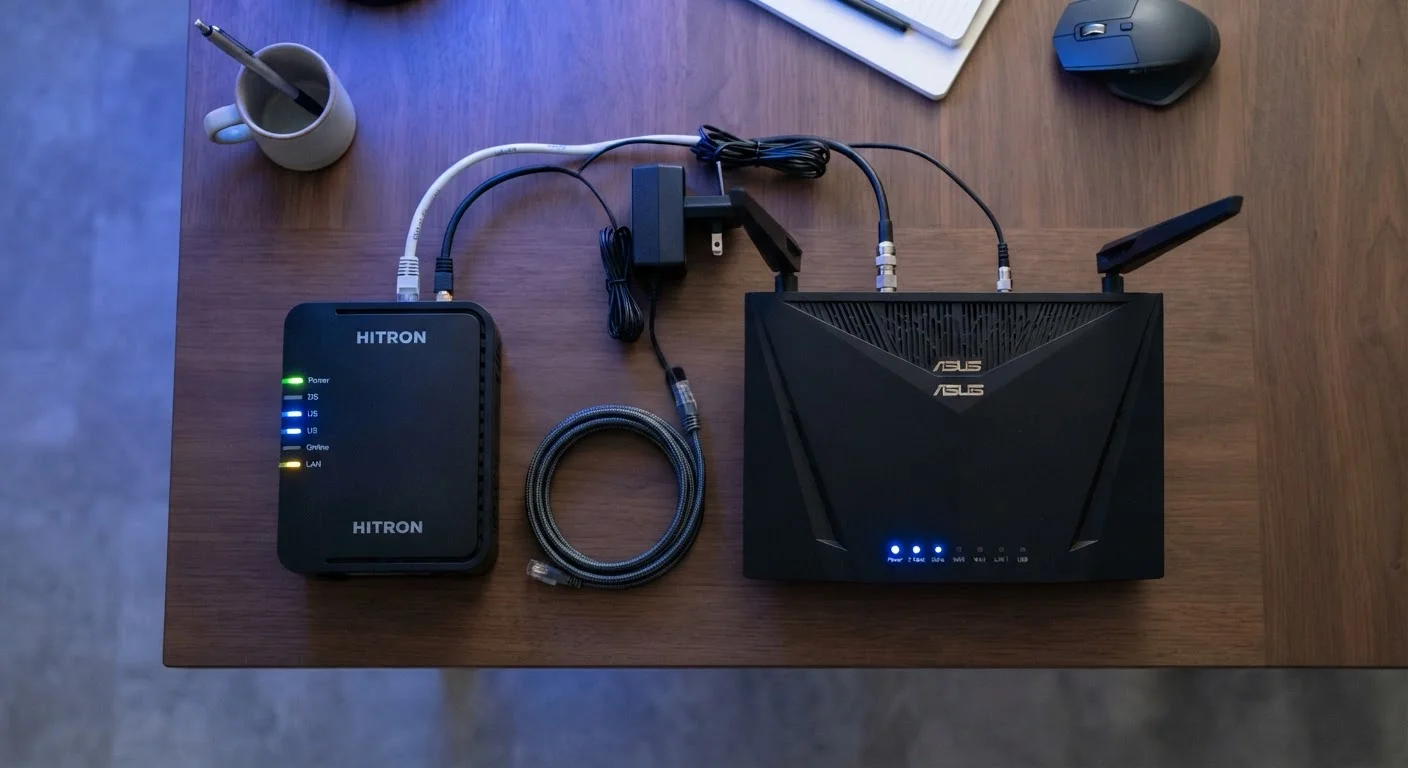
What Each Device Actually Does
The confusion between modems and routers is understandable - both sit in your home, both have blinking lights, and both are involved when you browse the web. But they operate at entirely different layers of your network.
A modem (short for modulator-demodulator) is your home's point of entry to the internet. It receives a signal from your ISP - delivered over a coaxial cable, phone line, or fiber optic cable depending on your service type - and converts it into a digital signal that connected devices can understand. That translation process is the modem's entire job. It has no awareness of the devices inside your home; it only talks to the ISP on one side and hands off a connection on the other.
A router, by contrast, operates entirely inside your home. Once the modem delivers an internet connection, the router takes over - assigning local IP addresses to your devices, directing data packets to the right destination, and broadcasting a Wi-Fi signal. It is the hub of your local area network (LAN). For a deeper look at what routers manage under the hood, see what a router actually does.
| Criterion | Modem | Router |
|---|---|---|
| Primary job | Connects home to ISP | Manages home network traffic |
| Where it sits | Between ISP line and router | Between modem and your devices |
| Provides Wi-Fi | No | Yes |
| Assigns IP addresses locally | No | Yes (via DHCP) |
| Needed for internet access | Yes - required | Needed for multiple devices |
| Supplied by ISP | Often, or as a combo unit | Sometimes, or user-owned |
| Upgrade triggers | ISP plan changes, DOCSIS version | More devices, coverage gaps, speed |
Why the Distinction Matters for Everyday Users
Knowing which device does what has real practical value - especially when something goes wrong.
If your internet goes down, the first diagnostic question is: where did it break? If the modem's connection indicator is solid and stable but devices can't get online, the router is the likely culprit. If the modem's light is off or flashing, the problem is upstream - between your home and the ISP - and restarting your router won't fix it.
Gateway Devices: One Box, Two Jobs
Many ISPs supply a single device - often called a gateway or modem-router combo - that handles both functions. This is common with cable and fiber providers. While convenient, these units sometimes limit advanced routing settings that a standalone router would offer. If you receive one from your ISP, you likely don't need a separate router unless you have specific coverage or configuration needs.
The distinction also matters when you're deciding what hardware to own. Many ISPs rent you a combined modem-router unit called a gateway. Gateways are convenient, but they can limit your control over network settings. Some users choose to purchase their own separate modem (once confirmed compatible with their ISP) and pair it with a standalone router for more flexibility and, potentially, lower monthly rental fees. That said, this is a personal choice with trade-offs on both sides - compatibility, support, and setup complexity are all factors worth weighing.
If you're also thinking about how devices connect once your network is up, choosing wired vs. wireless connections for individual devices is the logical next question.
When You Might Need to Upgrade One or the Other
Modems and routers age differently and fail for different reasons. A modem that no longer supports your ISP's current speed tiers - for instance, an older DOCSIS 3.0 unit on a plan that has since upgraded to DOCSIS 3.1 speeds - can quietly bottleneck your connection even if your plan has improved. DOCSIS is the technical standard used by most cable internet providers to define how data moves between your home and the ISP.
Routers, meanwhile, degrade in usefulness as the number of connected devices in a home grows. An older router designed for a handful of devices may struggle with the demands of a modern smart home - streaming, video calls, gaming, and connected appliances all competing simultaneously. If coverage is the problem rather than raw speed, a mesh network system may be worth exploring: mesh networks vs. traditional routers breaks down when that upgrade makes sense.
~17
Average connected devices per US household
According to Deloitte's Digital Media Trends survey, the average US household has roughly 17 internet-connected devices - a figure that strains older routers not designed for high device counts.
DOCSIS 3.1
Current cable modem standard for multi-gigabit speeds
DOCSIS 3.1 is the widely deployed cable standard enabling speeds above 1 Gbps; older DOCSIS 3.0 modems cap out well below that regardless of the subscribed plan.
The core takeaway is that modem issues typically affect your entire connection to the internet, while router issues tend to affect how well devices communicate within your home. Isolating which device is causing a problem saves time and avoids unnecessary replacements.


