

How Freemium Models Actually Work
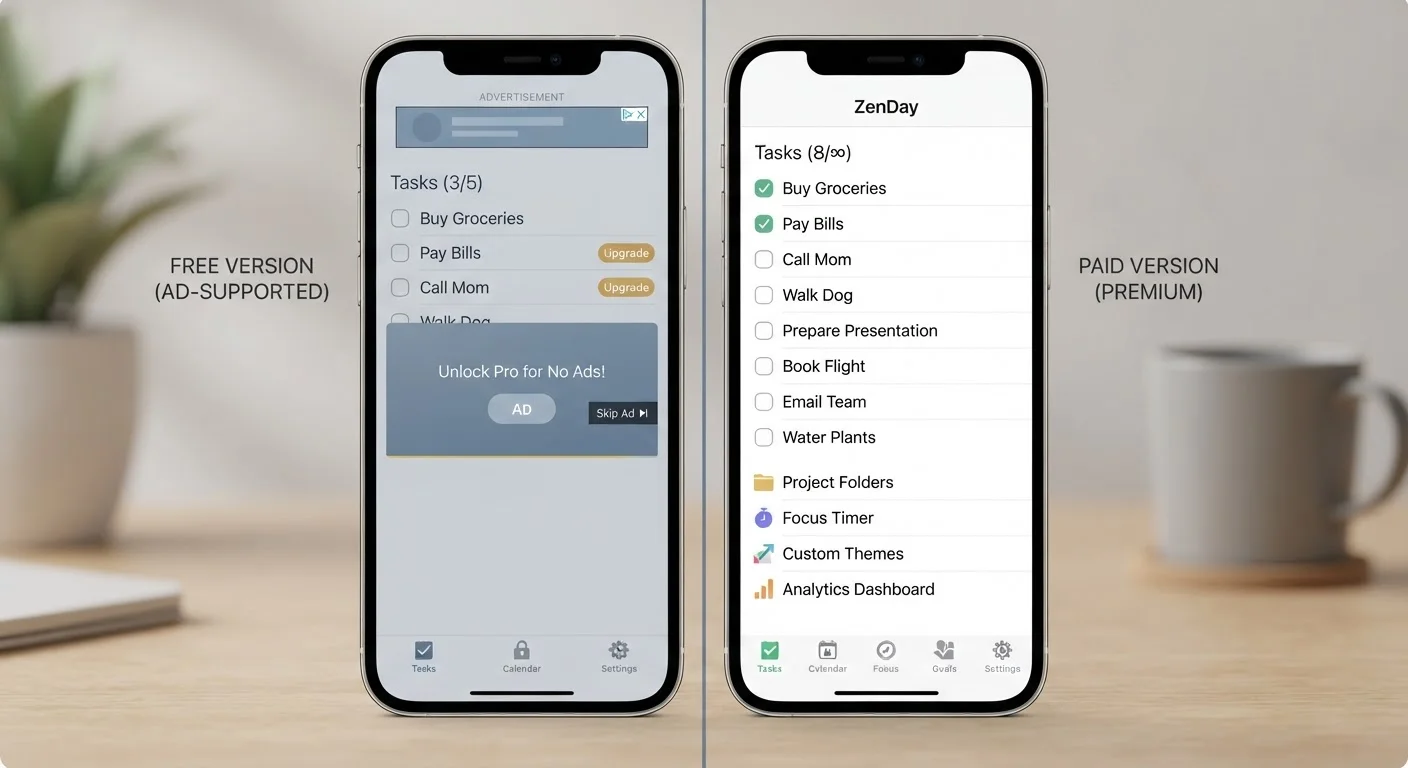
The term freemium describes any app that offers a baseline version at no cost while reserving certain features, storage, or usage allowances for paying users. It's the dominant business model in mobile and desktop software today, covering everything from note-taking tools to photo editors to navigation apps.
Developers use several mechanisms to encourage upgrades: showing advertisements in the free tier, capping cloud storage, limiting exports or file formats, adding a usage quota (such as a set number of monthly actions), or restricting collaboration features. Understanding which mechanism applies to an app you use tells you a great deal about whether the paid version would actually change your experience.
Not all friction is designed to frustrate - some free limits exist because server costs genuinely scale with usage. Others, however, are deliberately placed on features that most users rarely need, making the free tier fully adequate for the majority of people who download the app.
Free vs. Paid: What Each Tier Typically Offers
| Free Tier | Paid Tier | |
|---|---|---|
| Advertising | Ads shown in-app | Ad-free experience |
| Storage or usage quota | Limited (e.g. 5-15 GB) | Expanded or unlimited |
| Feature access | Core features only | Full feature set unlocked |
| Export options | Restricted formats | All formats available |
| Collaboration | Solo use or limited sharing | Team access and sharing |
| Customer support | Community forums only | Priority or direct support |
| Offline access | Often unavailable | Frequently included |
The table above reflects common patterns, though individual apps vary considerably. Before upgrading, identify exactly which row represents the friction you personally encounter. If you rarely export files or share with collaborators, limitations in those areas may never affect you.
It's also worth noting that your phone's built-in apps - calendar, notes, files, maps - are fully featured at no extra cost and are frequently underestimated alternatives to paid third-party tools.
Questions to Ask Before You Pay
A structured set of questions cuts through the marketing noise around upgrade prompts:
- Do I hit this limit regularly? If you've encountered the paywall once in three months, the free tier is probably adequate.
- Is this a one-time purchase or a recurring subscription? A $4.99 one-time unlock and a $4.99/month subscription cost very different amounts over two years. For a deeper look at that trade-off, see the trade-offs of subscription apps.
- Does a free alternative exist? Competing apps, browser-based tools, or built-in OS features often cover the same ground without any cost.
- Is my data portable? Some paid tiers lock your data in proprietary formats, making it hard to leave. Check export options before committing.
- Does the app work offline or require a live connection? If a subscription depends on cloud features you can't access without Wi-Fi, that affects its real-world value - a factor explored in our piece on offline vs. online apps.
Use the Trial Period Strategically
Many paid tiers offer a 7- or 14-day free trial. Rather than starting it when you first download the app, wait until you have a real project where you'll stress-test the premium features. That way, you're evaluating the upgrade under your actual conditions rather than novelty-driven enthusiasm.
When Paying Is Genuinely Worth It
Upgrading tends to deliver clear value in a few specific situations. Professional or semi-professional use is the most obvious: if an app is central to work you do daily, even modest time savings or reliability gains can justify the cost. Ad removal is worth considering for apps you open many times a day - frequent ad interruptions carry a real attention cost, not just an aesthetic one.
Paying also makes sense when the free tier's storage cap creates active problems. If you're regularly deleting files to stay under a limit, or manually exporting data to free up space, the overhead of managing that constraint may already cost more in time than a paid plan would cost in money.
Conversely, upgrading rarely pays off for apps you use a few times a year, apps in categories where strong free alternatives exist, or tools you're still evaluating. The standard advice - use the free version until you genuinely feel constrained - remains sound. Many users find that careful use of underused features in productivity apps they already own resolves the problem without any new spending.


