

The Job Your Router Actually Does
Think of your home network as a busy post office. Every package that arrives - a webpage, a video stream, a message - needs to reach the right recipient. Your router is the postal worker: it reads the destination on every data packet and delivers it to the correct device.
More precisely, a router manages communication between all the devices inside your home and coordinates their access to the internet connection coming in from outside. When your phone requests a webpage, the router keeps track of that request, receives the data back from the internet, and makes sure it goes to your phone and not your laptop or smart TV.
The router also creates what's called a local area network (LAN) - the private internal network your devices live on. Every device gets assigned a unique local address so the router can tell them apart. This all happens automatically, in the background, every time a device connects.
74%
U.S. homes with broadband internet access
According to Pew Research Center data, nearly three-quarters of American households have a home broadband connection, meaning most homes rely on both a modem and router setup daily.
2
Distinct jobs one combo gateway performs
ISP-supplied gateway devices bundle modem and router functions into a single unit, which is why the distinction between the two is frequently misunderstood by everyday users.
What a Modem Does (and Why It's Different)
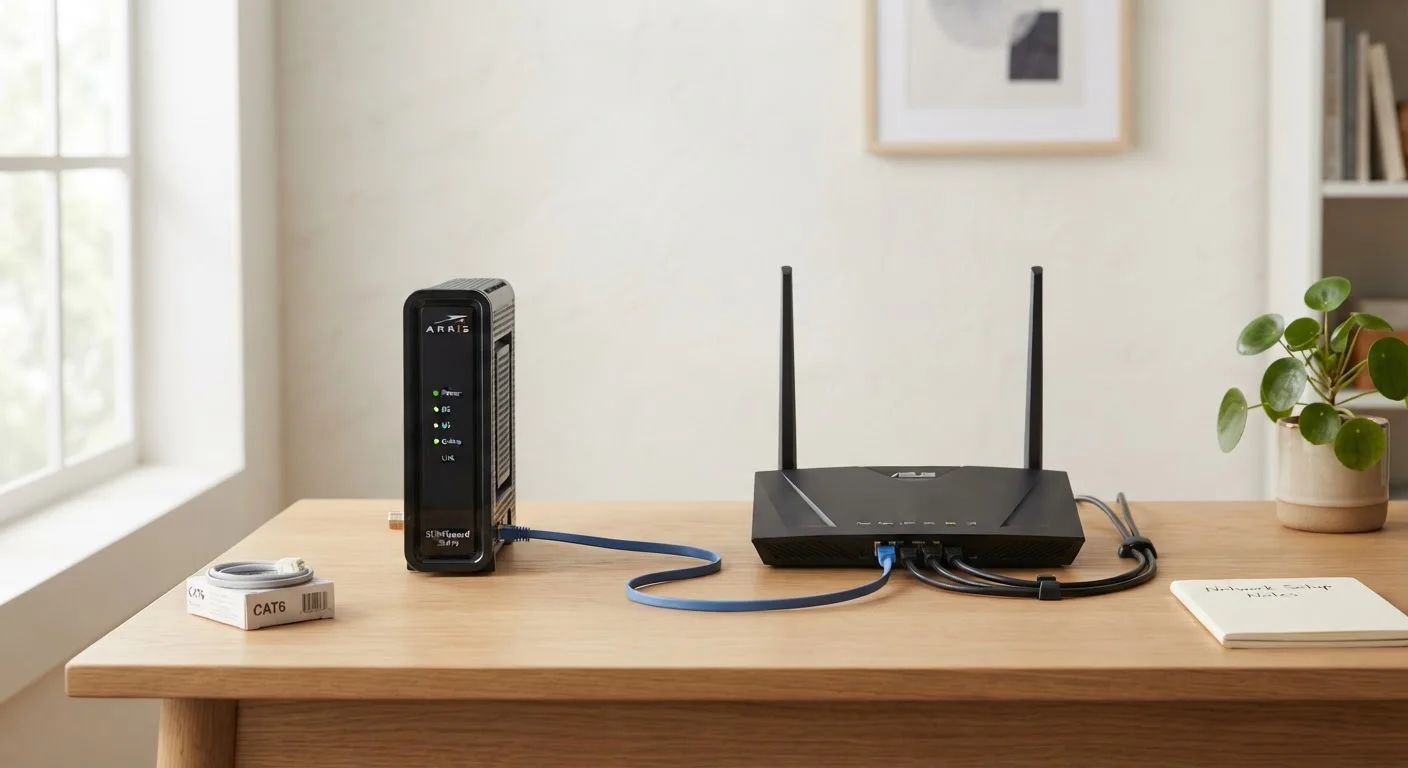
While the router manages traffic inside your home, the modem handles one specific job: translating the signal from your internet service provider (ISP) into a form your home network can use.
Your ISP delivers internet service through a physical medium - coaxial cable, phone line, or fiber optic cable depending on your plan. That raw signal isn't something your router or devices can read directly. The modem converts it into standard digital data and passes it along.
The word "modem" comes from modulator-demodulator, which describes exactly this translation function. It modulates outgoing signals and demodulates incoming ones. The modem has exactly two connections: one to the outside world (your ISP's line) and one to your router.
For a deeper look at how these two devices fit into the full picture of home networking, see our complete guide to home Wi-Fi.
Combo Units and Where It Gets Confusing
Many ISPs rent customers a single device that combines modem and router functions into one box. These are often called gateway devices. They're convenient, but they're also why so many people use the terms interchangeably - the hardware looks identical from the outside.
The distinction still matters even with a combo unit, because the two functions operate independently inside the box. If your internet goes out, knowing which function has failed helps you troubleshoot correctly. An ISP outage is a modem-side problem; devices failing to connect to Wi-Fi is a router-side problem.
Troubleshoot Smarter by Knowing Which Device to Restart
When something goes wrong, restart the modem first (unplug it, wait 30 seconds, plug back in), then restart the router. This sequence mirrors the order data flows into your home - from ISP to modem to router to your devices. Restarting in reverse wastes time.
For a detailed side-by-side breakdown of how the two device types work, our article on modems vs. routers goes further into the technical distinctions.
Why This Distinction Is Useful in Real Life
Understanding which device does what helps you solve problems faster - and spend money more wisely.
If your Wi-Fi signal is weak or you're experiencing slow speeds on wireless devices, the router is almost always the relevant device. Placement, antenna quality, and the router's Wi-Fi standard all affect wireless performance. Our piece on common causes of slow home internet explains how router placement alone can significantly affect your speeds.
If your connection to the internet drops entirely - no websites load on any device, even when plugged in by ethernet - the issue is upstream of the router, either with the modem or with the ISP itself.
It's also worth knowing that your router is the device responsible for your network's security settings, firewall, and guest network features. Your modem has no role in any of that. And if you've heard claims about Wi-Fi that don't quite add up, our guide to common Wi-Fi myths separates fact from widespread fiction.
A household has five devices streaming video simultaneously on a Friday night, all without conflict.
A family's internet goes out after a storm, but all their devices still show as connected to Wi-Fi.
Someone moves their router from a cabinet to an open shelf and notices stronger Wi-Fi throughout the house.


