

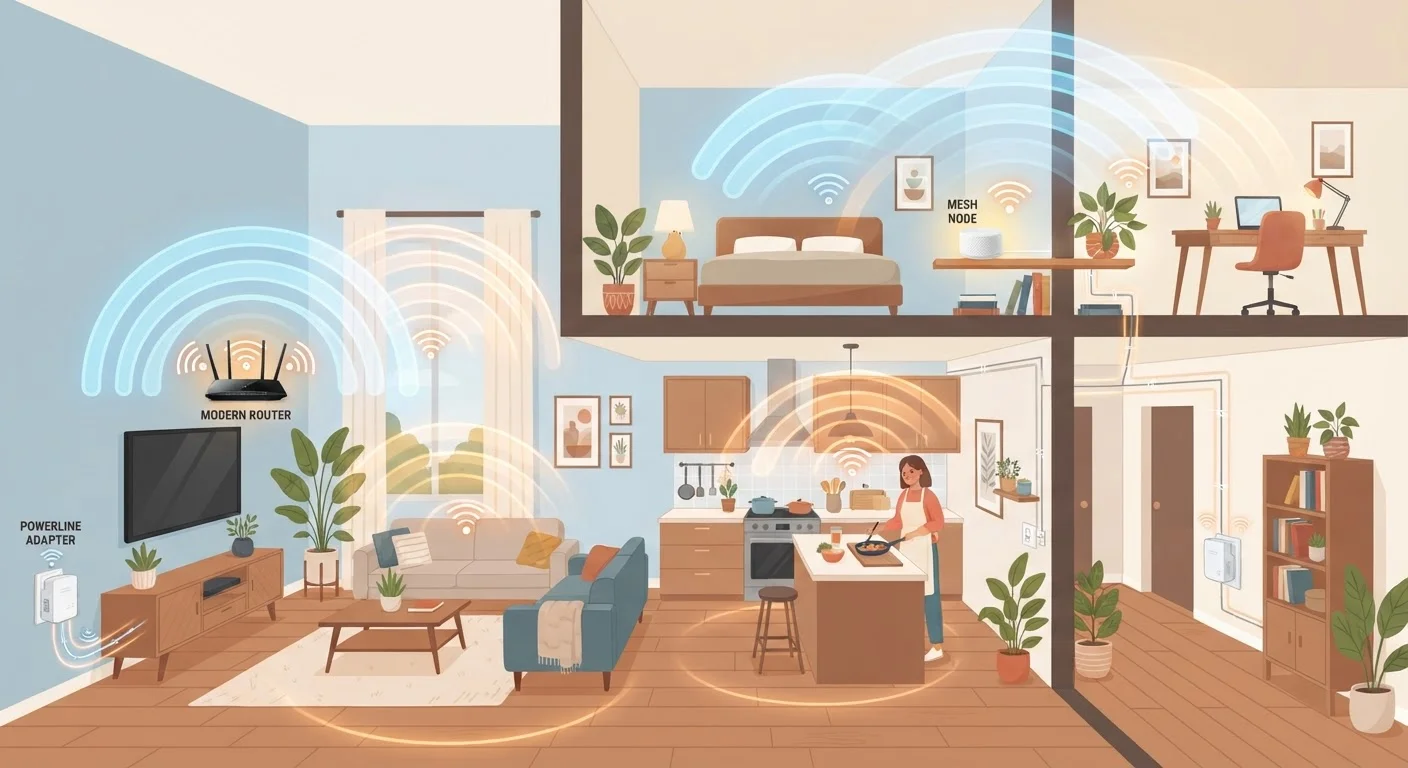
Why One Router Often Isn't Enough
A single router placed in a central location works well in small, open-plan homes. The moment you add thick concrete walls, multiple floors, a detached garage, or a sprawling ranch layout, dead zones appear. Streaming buffers, video calls drop, and smart home devices go offline - not because your internet plan is slow, but because the wireless signal can't reliably reach those spaces.
The good news is that three proven technologies address exactly this problem: range extenders (sometimes called Wi-Fi boosters or repeaters), powerline adapters, and mesh network nodes. They solve the coverage problem in fundamentally different ways, and understanding those differences is the key to choosing the right fit. You can also brush up on common Wi-Fi myths that might be shaping your assumptions before diving in.
Range Extenders (Wi-Fi Repeaters)
A range extender receives your existing router's signal, amplifies it, and rebroadcasts it under either the same or a separate network name. Setup is typically straightforward - plug the device into an outlet roughly halfway between your router and the dead zone, then run a brief configuration wizard via a mobile app or web browser.
The core trade-off is bandwidth. Many single-radio extenders must receive and retransmit on the same radio band simultaneously, which can cut usable throughput by roughly half. Dual-band and tri-band extenders mitigate this by using one band to backhaul traffic to the router and another to serve your devices - but they cost more. Range extenders also typically create a second network name (SSID), meaning your phone won't always hand off seamlessly as you move through the house.
Best fit: Small extensions into one or two rooms; budget-conscious households; rentals where drilling or wiring changes aren't possible.
Single-radio extenders can cut usable bandwidth by roughly half - dual-band models reduce that penalty significantly.
Powerline Adapters
Powerline adapters take a completely different approach. A transmitter adapter plugs into an outlet near your router and connects via Ethernet cable. A second adapter plugs into an outlet in the room you want to reach. The two units communicate by sending data signals through your home's existing electrical wiring - no new cabling required.
At the far end, the receiving adapter can provide a wired Ethernet port for a desktop or smart TV, or a built-in Wi-Fi radio to create a local access point. Because the connection travels through copper wiring rather than competing with other wireless signals, powerline adapters often perform more consistently in homes with heavy wireless congestion.
The caveats are real, though. Older electrical wiring, circuit breakers on different legs, and surge-protected power strips can all degrade performance significantly. Speed ratings on packaging (e.g., 500 Mbps, 1,000 Mbps) reflect theoretical maximums under ideal conditions - real-world throughput is typically lower.
Best fit: Homes where Wi-Fi signals are blocked by thick walls; rooms with wired devices like gaming consoles or smart TVs; situations where wireless congestion is already a problem.
Powerline adapters bypass Wi-Fi congestion entirely by routing network data through your home's electrical wiring.
Mesh Network Nodes
A mesh system replaces - or works alongside - your main router using multiple coordinated nodes placed throughout the home. Unlike a range extender, every node is part of the same unified network, sharing a single network name. Your devices connect to whichever node offers the strongest signal and hand off automatically as you move room to room, a process called seamless roaming.
Mesh systems use dedicated backhaul - a separate wireless channel or wired connection between nodes - to maintain strong throughput even across multiple hops. This architecture makes them the most capable option for large or multi-story homes, but it comes with a higher price and a more involved initial setup compared to a basic extender.
It's also worth understanding how mesh compares at a deeper level; our article on mesh networks vs. traditional routers walks through what actually changes - and what doesn't - when you make the switch.
Best fit: Large homes or multi-story layouts; households with many connected devices; anyone willing to invest in a long-term, whole-home solution.
Mesh nodes share one network name and hand off your devices automatically - eliminating the dead-zone problem at its root.
Choosing the Right Approach for Your Home
No single solution suits every situation. A renter in a two-bedroom apartment will have very different needs from a homeowner in a two-story house with a detached workshop. Construction materials matter enormously: plaster-and-lath walls, metal ductwork, and reinforced concrete all degrade Wi-Fi signals far more aggressively than standard drywall.
Budget is another factor. Range extenders generally carry the lowest upfront cost. Powerline adapters sit in the middle, though electrical wiring quality varies by home age. Mesh systems are the most capable but also the most expensive to deploy across a large space. For a deeper look at how mesh compares to a traditional router setup, see our guide on mesh networks vs. traditional routers.
Test Before You Invest
Before purchasing any coverage solution, walk your home with a free Wi-Fi analyzer app to map where signal strength actually drops. Many dead zones are caused by router placement rather than insufficient range - moving the router closer to the center of the home sometimes eliminates the need for additional hardware entirely. If you do need to extend coverage, knowing exactly where signal degrades helps you place extenders or nodes in the most effective spots.
Whatever you deploy, remember that security hygiene applies to every node on your network. Extenders, powerline adapters with Wi-Fi capability, and mesh nodes all need their firmware kept current. Our article on securing your home network covers practical steps that apply regardless of your hardware setup.


